Most of the deliverability guidance on this site is about getting commercial email into the inbox in the first place — authentication, warmup, list hygiene, reputation. CAN-SPAM compliance is a different, narrower question: once someone tells you to stop, are you legally handling that request the right way. It is easy to treat an unsubscribe click as a deliverability nuisance rather than a legal deadline, and that mindset is exactly what creates exposure.
The deadline is 10 business days, not "eventually"
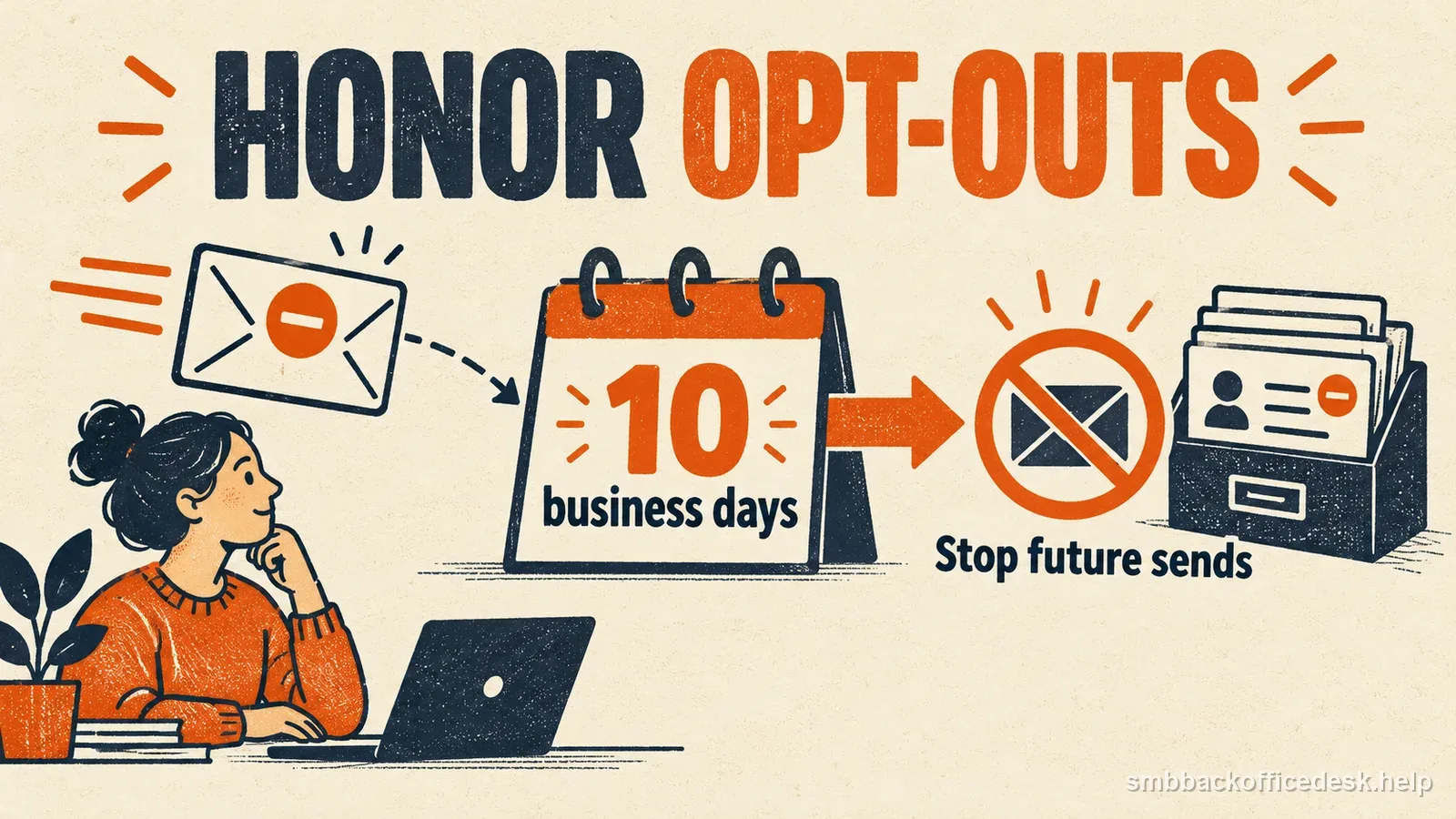
Once a recipient opts out of commercial email from your business, CAN-SPAM requires that the request be honored within 10 business days. This is a hard compliance deadline, not a best-practice suggestion. If your unsubscribe process routes through a shared inbox, a support ticket queue, or a manual suppression-list update performed by a person, confirm that the actual time-to-suppress — not just time-to-acknowledge — reliably falls within that window even during a busy week or when the responsible employee is out.
Automated unsubscribe links connected directly to your sending platform's suppression list are the most reliable way to meet this deadline consistently, because they remove the dependency on a person manually processing each request. If your business still handles some opt-outs manually — for example, someone replying "unsubscribe" to an email sent outside your normal platform — build a defined daily or near-daily process to capture and apply those requests too, since CAN-SPAM does not create an exception for manually received opt-outs.

A three-stage workflow moves from an opt-out request to suppression and a recorded confirmation.
The opt-out mechanism itself has requirements
CAN-SPAM does not just require honoring the request quickly — it also constrains what you're allowed to demand from the recipient in order to opt out. You cannot require a fee, require the recipient to provide any personal information beyond an email address, or require more than a single step such as replying to the email or visiting a single page on a website. An unsubscribe flow that forces a recipient through multiple confirmation screens, a login, or a marketing survey before honoring the request is not compliant, even if the request is technically processed within the 10-day window.
The opt-out mechanism you provide must also remain able to process requests for at least 30 days after the message was sent. In practice, this generally means keeping the unsubscribe link functional for at least that long rather than letting old campaign links expire or break after a short period.
- Message sentOpt-out mechanism must remain able to process requests.
- Within 10 business daysHonor recipient request.
- At least 30 days after sendKeep mechanism operational.
- After opt-outKeep on restricted suppression list; transfer only to a compliance provider.
What "commercial email" actually covers
CAN-SPAM's opt-out and labeling requirements are aimed at commercial email — messages whose primary purpose is advertising or promoting a product or service. Purely transactional or relationship messages, such as an order confirmation, a shipping notice, or an account-security alert, are generally treated differently under the Act and are not required to include the same opt-out mechanism, even though good practice is to keep those messages clearly separated from marketing content in your platform's classification. Be careful with mixed-content messages that combine transactional information with promotional content, since the primary purpose of a blended message can determine which rules apply, and a business should not rely on labeling a marketing campaign as a "receipt" to sidestep the requirements.
Once someone opts out, the address itself becomes restricted
After an opt-out, you may not sell, rent, lease, exchange, or otherwise transfer that email address, including as part of a general list. The narrow exception is a transfer to a company you hired to help comply with CAN-SPAM. That provider may use the address for compliance work, not as a prospect to market to. Keep opted-out addresses on a restricted suppression list so your systems can prevent another send; do not pass them to partners as leads.

The 10-business-day response deadline and 30-day processing window are different duties.
Sender identification and physical address requirements
Beyond opt-out handling, commercial email must use accurate header information, avoid deceptive subject lines, identify the message as an advertisement or solicitation unless the recipient has given prior affirmative consent, and include the sender’s valid physical postal address. A street address, qualifying U.S. Post Office box, or properly registered private mailbox can meet the address rule. Check the address rules before using a nonstandard format.
Penalties scale with volume, and enforcement is active
The FTC actively enforces CAN-SPAM, and penalties are calculated on a per-email basis and adjusted periodically for inflation, meaning the maximum civil penalty per noncompliant message can be substantial and can compound quickly across even a modestly sized send. A business that discovers a gap in its opt-out handling — for example, learning that manually received unsubscribe replies were not being applied to the suppression list — should treat closing that gap as an urgent operational fix, not a backlog item, given how quickly exposure can accumulate across a recurring send schedule.
Practical checklist for a small sending program
Confirm that every commercial send includes a working, one-step, no-login opt-out mechanism and your business's current physical postal address. Confirm the unsubscribe link routes directly into your suppression list rather than into a queue that depends on a person to act. Set a recurring internal check — weekly is reasonable for a small list — to catch any manually received opt-out requests that arrived outside your platform's normal unsubscribe flow, and apply them to the same central suppression list.
Audit any vendor or list-sharing relationship to confirm opted-out addresses are excluded before a list is shared, sold, or handed to a partner, since the transfer restriction applies to your business even if the sharing was otherwise routine. And keep suppression-list changes logged with a timestamp, both to demonstrate the 10-business-day requirement was met and to have a clean audit trail if a recipient later claims they continued receiving messages after opting out.
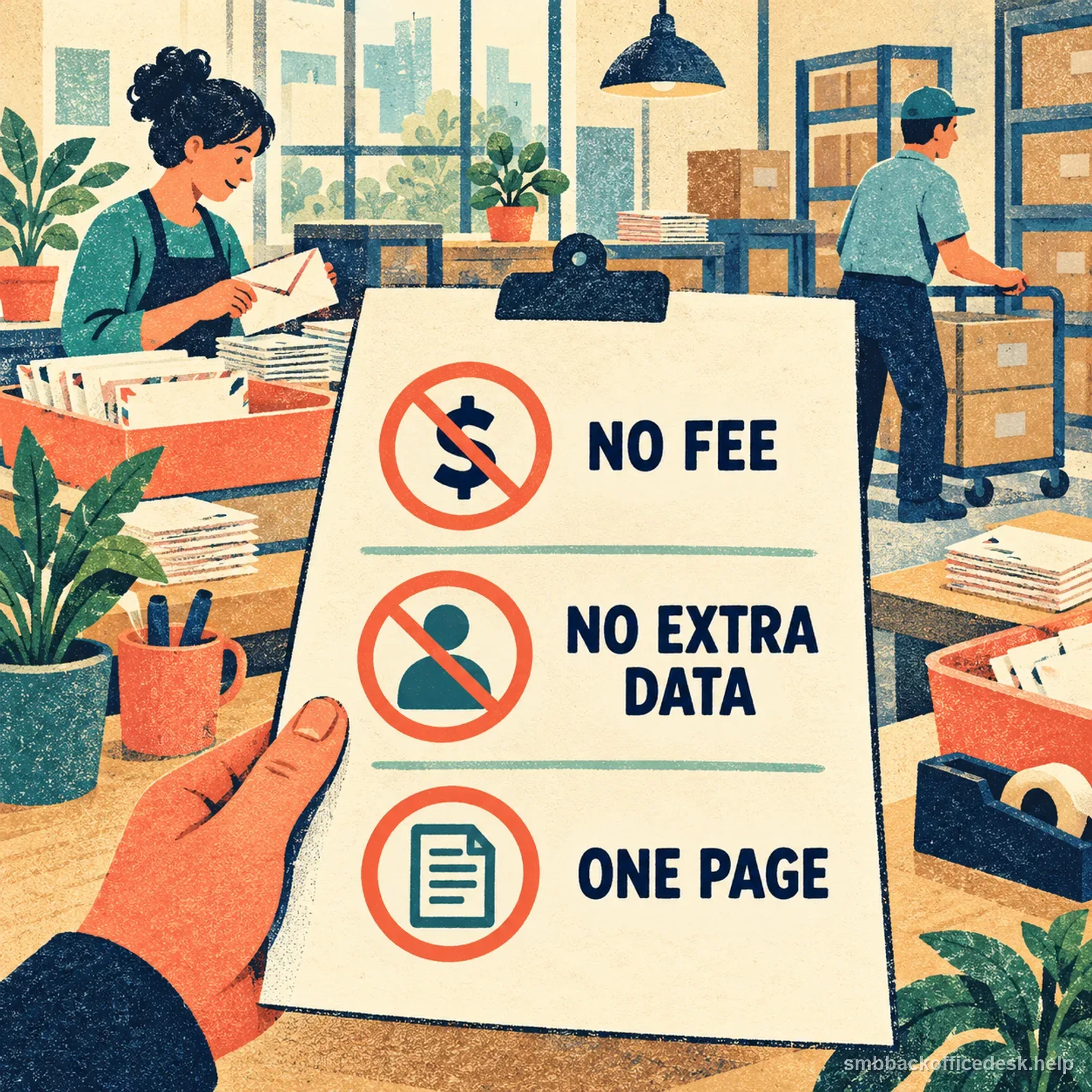
A compliant opt-out process should not add a fee, demand extra personal information, or require multiple steps.
This is a compliance layer, not a deliverability layer
None of this replaces the technical deliverability work covered elsewhere on this site — proper authentication, list hygiene, and sending reputation still determine whether a compliant, well-labeled email actually reaches the inbox. CAN-SPAM compliance and inbox placement are separate problems that happen to intersect at the same message: a technically perfect, fully authenticated email can still violate CAN-SPAM if the opt-out mechanism or timing is wrong, and a fully CAN-SPAM-compliant email can still land in spam if the sending domain's reputation is poor. Treat them as two checklists, not one.
| CAN-SPAM compliance | Deliverability | |
|---|---|---|
| Question | Was opt-out and sender handling compliant? | Will authenticated wanted mail reach inbox? |
| Control | One-step opt-out and suppression | Authentication, list quality, reputation |
| Failure mode | Request ignored or address shared | Compliant message placed in spam |
Test the opt-out clock with a dated sample
Use a sample campaign to check the two separate timing duties. If a message is sent on day 0 and the recipient tests its unsubscribe link on day 25, confirm that the link still accepts the request; the mechanism must remain able to process opt-outs for at least 30 days after the message is sent. Then log the request receipt and the actual suppression timestamp separately. CAN-SPAM requires the request to be honored within 10 business days after it is received, so do not treat the 30-day link window as permission to wait. A good audit row records the message date, opt-out receipt, suppression completion, and the system that applied the change.
For example, if a request arrives on day 25 and the system suppresses it immediately, the operating record shows a one-day-or-less elapsed interval, while the link remains usable through the required 30-day period. If the request enters a manual queue, calculate the elapsed business days from receipt to suppression and escalate before the 10-business-day limit is reached. This is an internal test example, not a replacement for the statutory rule or legal advice.
Global suppression versus per-list opt-out
Some sending platforms distinguish between a recipient opting out of one specific list or campaign type and opting out of all commercial email from the business entirely. CAN-SPAM lets a sender offer a menu for selected message types, but the mechanism must also let the recipient stop all marketing messages from that sender. If someone selects only a newsletter category, respect that preference; if they choose the all-marketing option, suppress them across the sender’s commercial lists. Keep the preference and suppression records consistent across tools and vendors so a later import does not undo the choice.